Info Hot Job Find your dream job! Get for jobs, post your resume, compare salaries and find career advice and research.
Poor software documentation can turn a promising project into an expensive mess. Developers spend hours clarifying requirements, teams build incompatible components, and project managers struggle to explain missed deadlines. These problems aren’t always caused by weak coding skills. Sometimes, the trouble starts before development even begins: the team has no clear agreement on how the software should work.
A Software Design Document Template gives developers a practical way to record that agreement. It brings system architecture, technical requirements, interfaces, and implementation decisions into one reference that the entire team can use. For professionals pursuing software development and architecture jobs, this ability matters beyond documentation. It shows they can analyze a problem, make technical decisions, and explain those decisions to other people.
Why a Software Design Document Template Matters
Every software project involves decisions that affect the work that follows. A database choice influences how information is stored and retrieved. An API contract determines how different components communicate. Authentication rules affect both security and the user experience. If developers make these decisions independently, small differences in interpretation can become expensive integration problems.
Consider a common scenario: a backend developer returns customer information in one format, while the frontend expects another. The feature may work perfectly in isolation, yet fail when the two components connect. Someone must investigate the mismatch, change the implementation, and repeat the tests. Multiply that problem across several features, and a seemingly minor communication gap can delay an entire release.
A Software Design Document Template helps prevent this kind of rework by recording important decisions before implementation moves too far. It also gives testers a clearer understanding of expected behavior and helps project managers identify technical dependencies that could affect delivery dates.
There’s another benefit that becomes obvious when team members change. Without reliable documentation, a new developer may have to trace thousands of lines of code just to understand why a particular service exists or why the application unusually handles a specific error.
Still, more documentation doesn’t automatically mean better software. The objective is to preserve useful engineering knowledge, not to create paperwork that becomes outdated a few weeks after approval.
Software Design Document Template Structure and Example
A practical Software Design Document Template should reflect the project’s size and technical risk. Most documents need several core elements to explain what the system does, how its components interact, and which decisions will guide implementation.
Start with the project overview. Define the software’s purpose, intended users, business objectives, scope, and major constraints. This section should make the underlying problem clear. If the team can’t explain what the application needs to accomplish, detailed architecture diagrams won’t solve the real issue.
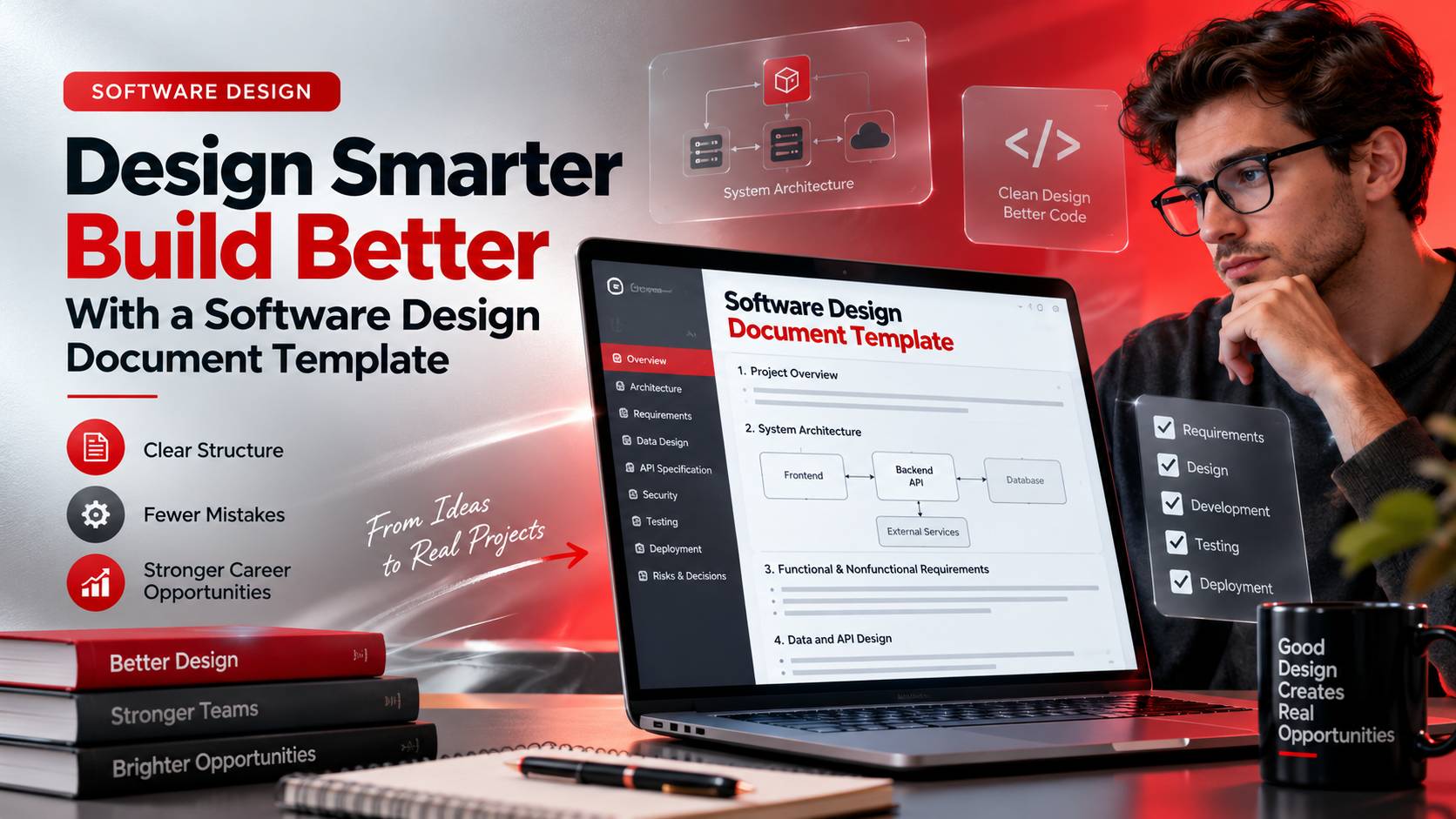
Next, describe the system architecture. Identify the major components and explain how they communicate. A web application might contain a frontend, backend API, relational database, authentication service, and third-party integrations. A simple architecture diagram can reveal dependencies that would otherwise remain buried in technical descriptions.
The functional design section explains how the application behaves under normal and exceptional conditions. Nonfunctional requirements cover performance, availability, security, accessibility, and scalability. These requirements deserve specific attention because a system can deliver every requested feature and still fail if it exposes sensitive data or slows to a crawl under ordinary traffic.
Data and interface specifications provide the details developers need to implement compatible components. Document database entities, relationships, API endpoints, request and response formats, authentication methods, and relevant error codes. Include testing considerations, deployment assumptions, technical risks, and important design decisions where they affect implementation.
Take an online appointment-booking application as an example. The document might specify that the backend checks availability before confirming a reservation, rejects conflicting bookings, and returns a defined error when another user has already taken the selected time slot. Developers can implement the same rules, while testers can verify that simultaneous requests don’t create duplicate reservations.
For a practical starting point, a reusable document might open with the following structure:
Software Design Document
Project name: Online Appointment Booking System
Purpose and scope: Describe the problem the application solves, its intended users, and the features included in the initial release.
System architecture: Identify the frontend, backend services, database, authentication mechanism, and external integrations.
Functional requirements: Explain registration, login, appointment search, booking confirmation, cancellation, and conflict handling.
Data and API design: Define the principal database entities, relationships, endpoints, request formats, response structures, and error handling.
Security and testing: Document access controls, sensitive-data protection, validation rules, and tests for duplicate bookings or failed requests.
Deployment and maintenance: Specify the target environment, configuration requirements, monitoring needs, and procedures for handling failures.
This example gives developers a usable foundation without forcing every project into the same level of detail. Teams can expand or simplify the sections according to actual requirements.
The document can live in Markdown, a shared documentation platform, or a version-controlled repository. What matters is that the information stays accessible and changes when the design changes.
Choosing a Software Design Document Template for Different Projects
The right template depends on what the software must do and what happens if something goes wrong. A small internal application may need a short overview, an architecture diagram, a data model, API specifications, and basic testing considerations. A financial platform or healthcare application may require more detailed access controls, audit requirements, privacy safeguards, and recovery procedures.
The distinction isn’t simply about project size. A small application that processes sensitive information can carry greater risks than a much larger application used for routine internal reporting.
Development methodology also influences the document. Agile teams often prefer concise documentation that evolves alongside the code. Projects with formal governance may require version histories, documented approvals, and traceability between requirements and implementation. Both approaches can work, provided the document reflects actual decisions rather than assumptions that nobody has verified.
Before adopting a template, check whether it supports collaboration, change tracking, diagrams, and links to relevant requirements or source code. Mark unresolved questions clearly. If the team hasn’t decided how authentication will work, recording that uncertainty is more useful than presenting an unapproved approach as settled.
Understanding software architecture design provides a useful foundation for documenting system boundaries, dependencies, and the relationships between components.
For projects built around specific business requirements, custom software design offers further context on translating user needs into practical technical solutions.
Software Design Documentation Skills and Career Opportunities
Technical documentation is often treated as a secondary responsibility, especially by developers who would rather spend their time coding. Yet the ability to explain a design decision becomes critical when a project involves several teams, complex integrations, or strict delivery requirements.
Software developers use design documents to clarify implementation details before writing code. Software architects explain system structure and evaluate technical trade-offs. Technical leads record decisions that affect multiple services, while quality assurance professionals use specifications to establish expected behavior and develop meaningful tests.
Employers need more than candidates who can list programming languages on a résumé. They also need people who can recognize technical risks, explain why one approach is preferable to another, and work effectively with colleagues who don’t share the same technical background.
A portfolio project offers a practical way to demonstrate these abilities. A candidate could document a booking application, explain its database relationships, define API behavior, describe authentication controls, and show how the system handles conflicting requests. A working prototype provides additional evidence that the proposed design can be implemented.
Specialized design applications offer another perspective on the relationship between software and practical work. For example, free kitchen design software illustrates how digital tools support planning and visualization in a specific industry.
Similarly, deck design software, essential skills, and career opportunities highlight the connection between specialized tools, technical capabilities, and professional opportunities.
Those interested in spatial planning can explore free landscape design software to see how digital applications support project visualization and planning.
These tools serve different audiences, but the underlying lesson is similar: useful software depends on clear requirements, appropriate design decisions, and an understanding of how people will use the finished product.
FAQ Software Design Document Template
1. What should a Software Design Document Template include in 2026?
A practical template should cover the project overview, functional and nonfunctional requirements, system architecture, data models, API interfaces, security controls, testing strategy, deployment assumptions, and significant technical decisions. Projects involving cloud infrastructure or AI integrations may also need details about data handling, access permissions, monitoring, and failure recovery. Include only the sections that matter to the system, but make sure developers can find the information they need to implement and maintain it reliably.
2. What is the difference between a Software Design Document and a Software Requirements Specification?
A Software Requirements Specification defines what the system must accomplish, including required features, expected behavior, constraints, and acceptance criteria. A Software Design Document explains how the development team plans to meet those requirements through architecture, components, databases, interfaces, and technical decisions. The two documents may overlap in Agile environments, but their purposes remain distinct. Requirements establish the expected outcome; design documentation provides the technical approach that developers and testers can evaluate.
3. Can a Software Design Document Template help developers qualify for better software jobs?
A Software Design Document Template can help developers demonstrate structured thinking, technical communication, and an understanding of system architecture. However, completing a generic template offers limited evidence of engineering ability. A stronger portfolio includes a realistic project, a documented database design, clear API contracts, security considerations, and explanations of important trade-offs. Supporting the document with working code or a prototype allows employers to assess whether the candidate can turn a technical plan into a functioning application.
A Software Design Document Template gives software teams a practical way to turn requirements into decisions they can implement, test, and maintain. By clarifying architecture, interfaces, data structures, and potential risks, it reduces avoidable misunderstandings before they spread across a project.
For professionals pursuing software development and technical design jobs, the ability to document a system clearly can strengthen an already solid technical portfolio. The real advantage isn’t producing a polished document for its own sake. It’s showing that you understand the problem, can justify your design choices, and can help a team deliver software that works as intended.